Random Seed
Video about it:
Adding the RandomSeed component
Section titled “Adding the RandomSeed component”There are some effects with a random component (such as flicker, hologram, glitch…). By default if you have 2 instances of a material that uses these effects they will look the same and it may look bad in your game. To avoid repetition you can add the RandomSeed component to the Object that contains the Renderer (Sprite, Tilemap, Sprite Shape, Particle System, Mesh) or UI Image you want to affect.

Keeping batching intact
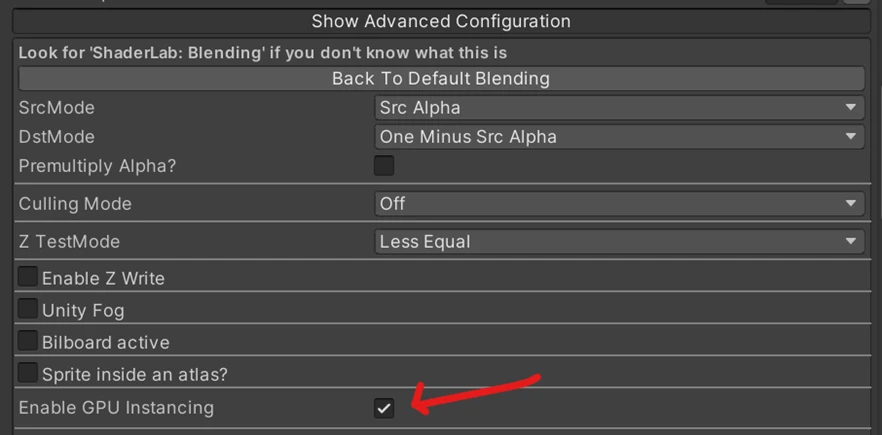
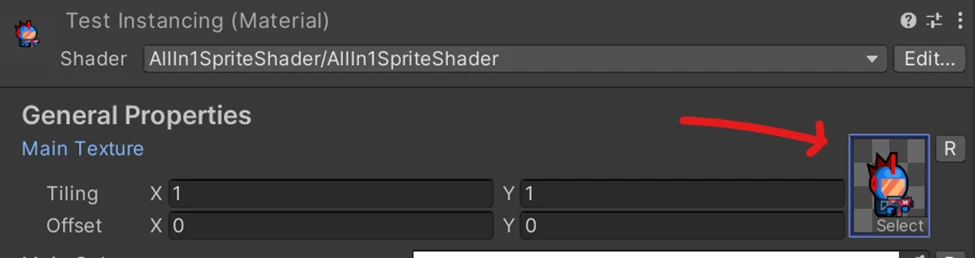
Section titled “Keeping batching intact”Doing this won’t break batching as long as Gpu Instancing is enabled in the Advanced Configuration Options of the Material Inspector and the Main Texture is set directly in the Material asset. This means that you’ll need one instance of a material that is supposed to batch for each different texture you want to use.