
Demo Scene
AllIn1TextShader/Demo/Demo-TextShader.unity is a carousel of 38 showcases, each made only
with the toolkit: game titles, logos, combat text, dialogue boxes, signs and screens. Every
look is a material you can select and inspect, so the quickest way to make something is
often to find the closest showcase and copy its material.
Controls
Section titled “Controls”| Key | Button | What it does |
|---|---|---|
| A or ← | Previous demo | The previous showcase |
| D or → | Next demo | The next showcase |
| I | Info | Shows or hides what the showcase uses and how it was made |
| W | Lock Cursor | Locks or unlocks the cursor |
| E | Hide UI | Hides the interface, for clean screenshots. Press E again to bring it back |
The title shows the showcase’s name, with “Demo N of M” under it, and the carousel wraps around at both ends. Some showcases take input of their own: in the dialogue ones a click or Space finishes the line or skips to the next, and in Torchlight the mouse moves the torch and a click casts a Twist.
Outside play mode, the DemoSceneController object’s inspector has < Previous and Next > buttons, to browse the showcases and inspect them without pressing Play.
When you press Play, a cover reading “Loading effects” draws every showcase once before the first one shows, so browsing never stops to compile a shader. To skip it, turn off Prewarm On Start on the same object.
The showcases
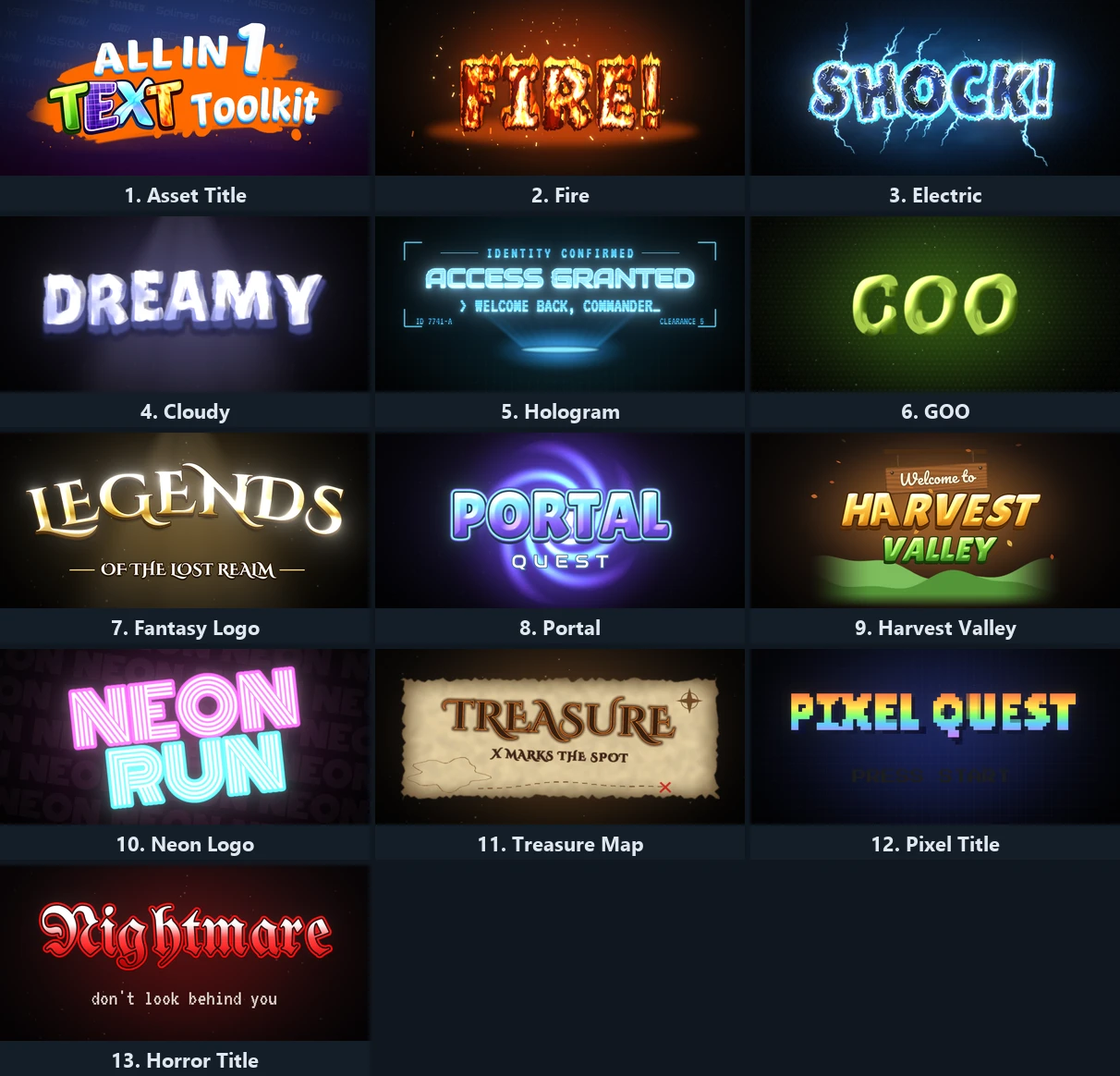
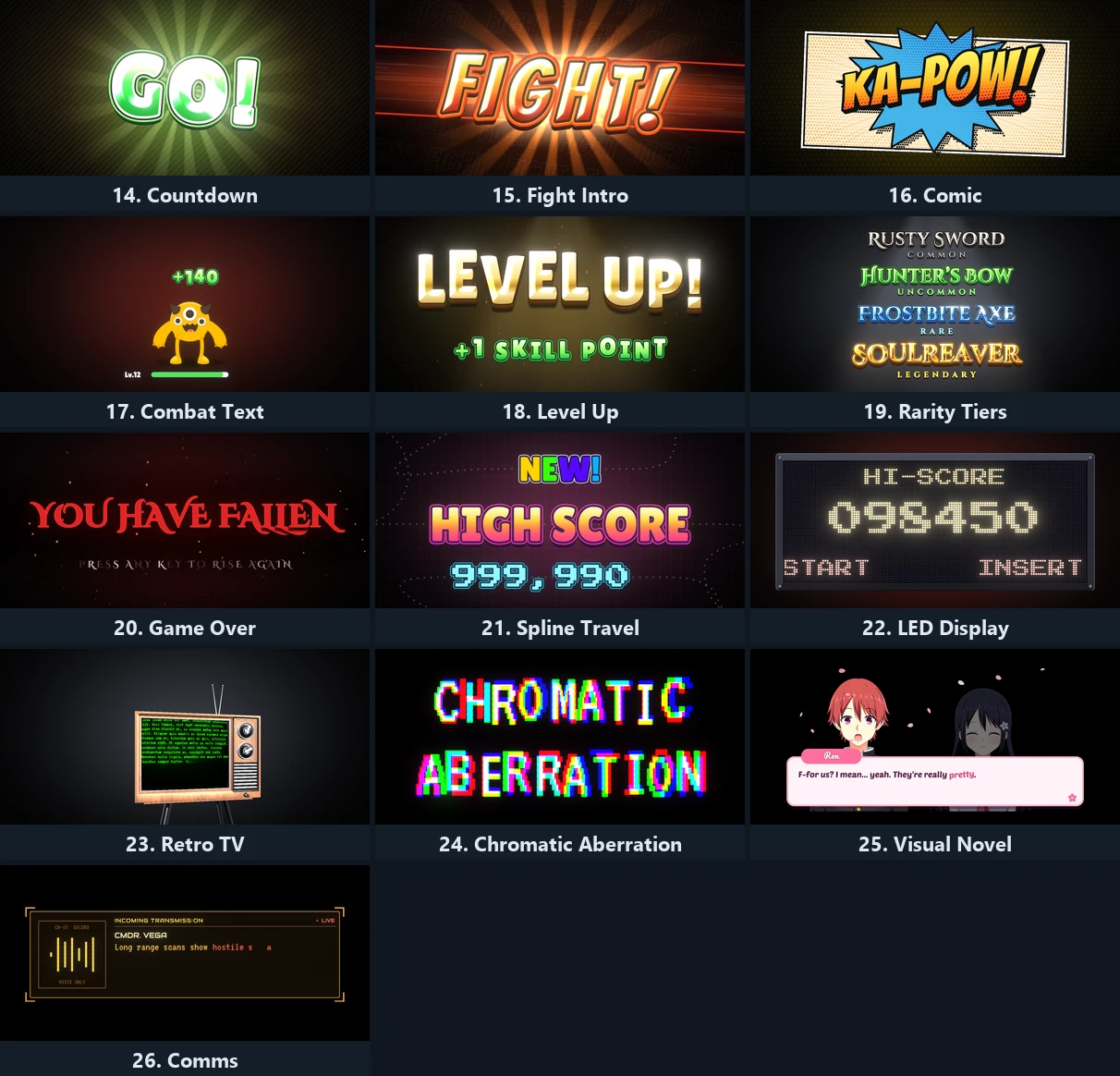
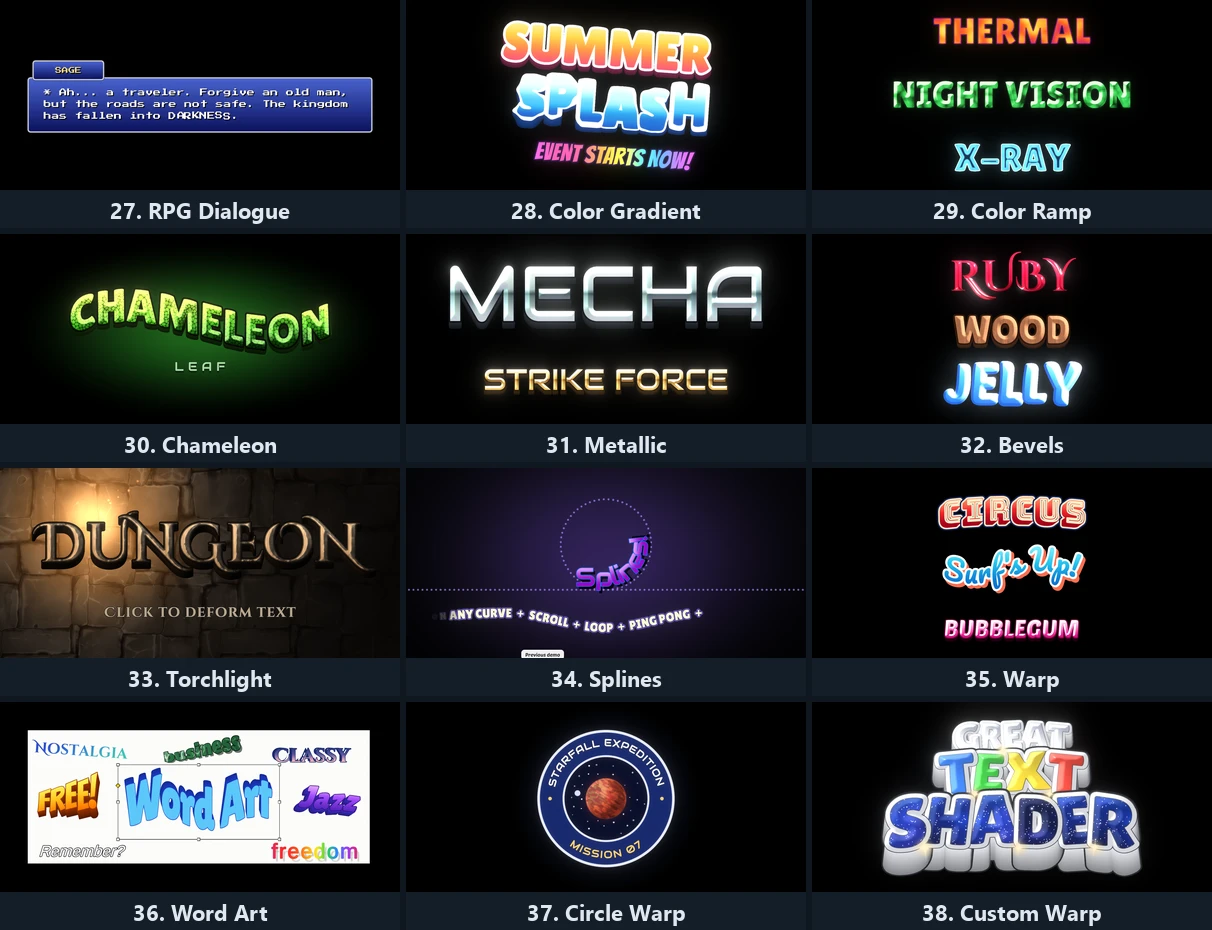
Section titled “The showcases”The I panel describes each one: the look, the effects it uses, and how hard it is to set up. In order:
| # | Showcase | Shows off |
|---|---|---|
| 1 | Asset Title | Symmetric bevel with reflections, three outlines, Extrude, warps |
| 2 | Fire | Additive text layers, distortion and flicker, letters on splines |
| 3 | Electric | Four additive layers of stepped distortion |
| 4 | Cloudy | A soft additive layer with noise |
| 5 | Hologram | Hologram, Glitch and Flicker |
| 6 | GOO | Bevel with Round Wave |
| 7 | Fantasy Logo | Gold bevel, Extrude, a shine sweep and an Arc warp |
| 8 | Portal | Twist with Bevel and Extrude |
| 9 | Harvest Valley | Wind |
| 10 | Neon Logo | Outlines and glows that feed bloom, Flicker |
| 11 | Treasure Map | Fade with a burning edge |
| 12 | Pixel Title | Pixelate |
| 13 | Horror Title | Flicker and glow |
| 14 | Countdown | Bevel, Extrude and Shine on numbers |
| 15 | Fight Intro | Bevel with reflections, on splines |
| 16 | Comic | Overlay Texture, Extrude and a warp |
| 17 | Combat Text | Pooled damage numbers |
| 18 | Level Up | Shine, Bevel and Extrude |
| 19 | Rarity Tiers | One look per item rarity |
| 20 | Game Over | Letters on splines |
| 21 | Spline Travel | Show and Hide along a curve |
| 22 | LED Display | The LED Panel with a scrolling ticker |
| 23 | Retro TV | Pixelate on a 3D screen |
| 24 | Chromatic Aberration | Two additive layers with Vertex Shake |
| 25 | Visual Novel | Dialogue with rich text |
| 26 | Comms | Glitch and Flicker on a radio channel |
| 27 | RPG Dialogue | A dialogue box |
| 28 | Color Gradient | Color Gradient |
| 29 | Color Ramp | Color Ramp |
| 30 | Chameleon | The color adjustments: Color Grading, Hue Shift, Contrast and Brightness, Posterize, Greyscale |
| 31 | Metallic | Bevel with a normal map and reflections |
| 32 | Bevels | Symmetric bevel on the outlines too |
| 33 | Torchlight | Bevel lit by a moving torch |
| 34 | Splines | Text on curves |
| 35 | Warp | The Warp component’s styles |
| 36 | Word Art | Warps and Extrude, Word Art style |
| 37 | Circle Warp | Text around a planet |
| 38 | Custom Warp | A hand shaped cage |
Every text in the demo has a Typewriter, so each showcase also shows a reveal, and most show loops and hides as you move on.
Post processing
Section titled “Post processing”Many showcases glow, and the glow is bloom from post processing:
- URP: the demo adds its own bloom, nothing to install.
- Built-in: the bloom needs Unity’s Post Processing package. Without it the demo runs with no bloom, and the Console reminds you to install it from the Package Manager.
The glow comes from the materials’ HDR colors and Color Intensity, so the same materials glow in your own scenes once you add bloom there.
On URP, the Retro TV’s cabinet uses Built-in materials, and the toolkit converts them for you when the editor loads, see Setup and Render Pipelines.
Fonts and credits
Section titled “Fonts and credits”The demo fonts are from Google Fonts, under the Open Font License: Audiowide, Bangers,
Bungee Shade, Cinzel Decorative, Lilita One, Monoton, Pacifico, Poetsen One, Press Start
2P, UnifrakturMaguntia and VT323. Their licenses ship with the fonts. The textures
credited in the package’s Readme and Licenses.txt are CC0, from ambientCG and Kenney.
You can use the demo fonts in your own game under their license. Whatever you make with the asset can go in any product, but the package’s own source files cannot be redistributed as they are.